
How to publish a Reel
Go to Publish, click new content, select reel instead of post
Step 1: Access the Publish panel
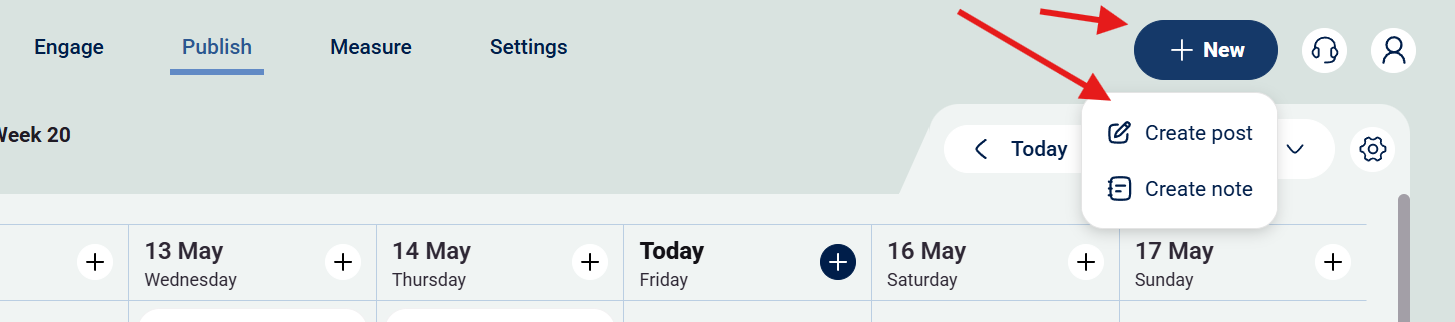
Step 2: Press "+ New" and then "Create post"
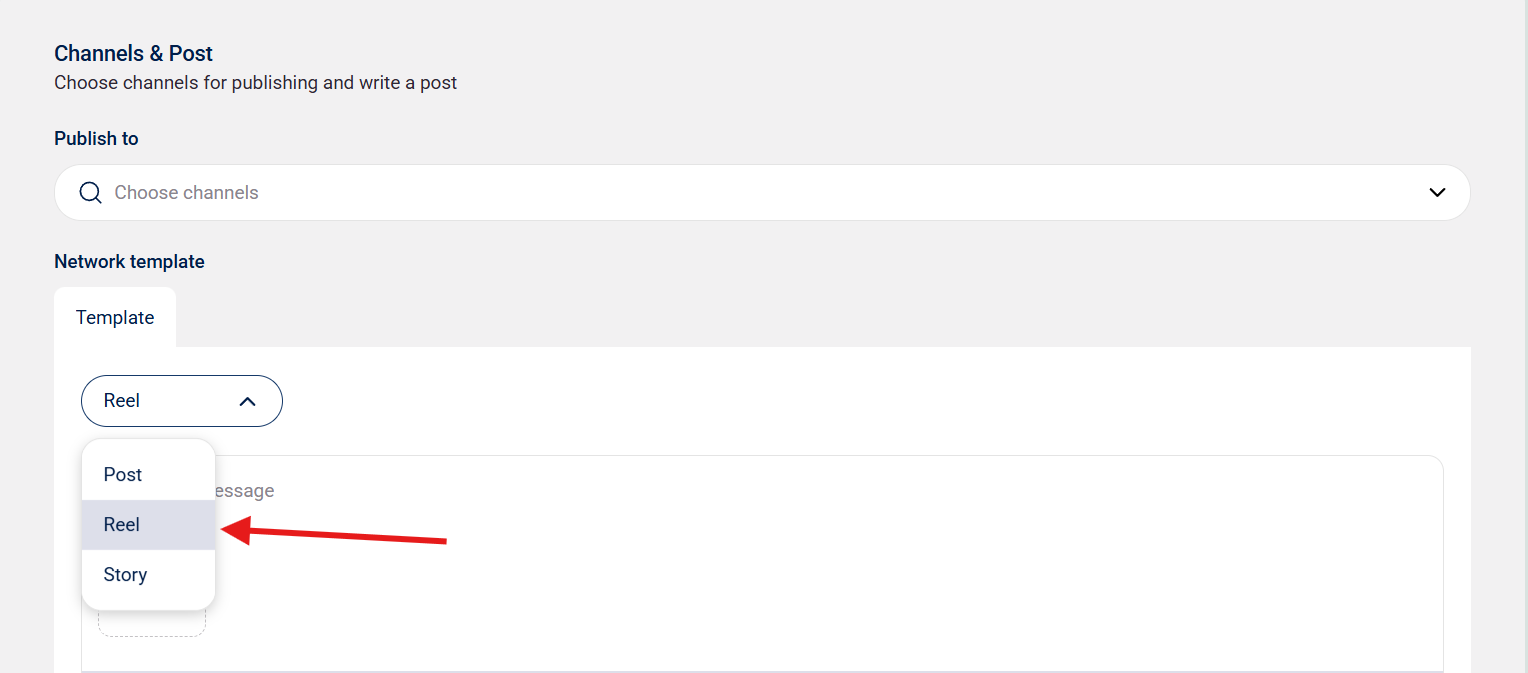
Step 3: Press the drow down menu and choose "Reel"
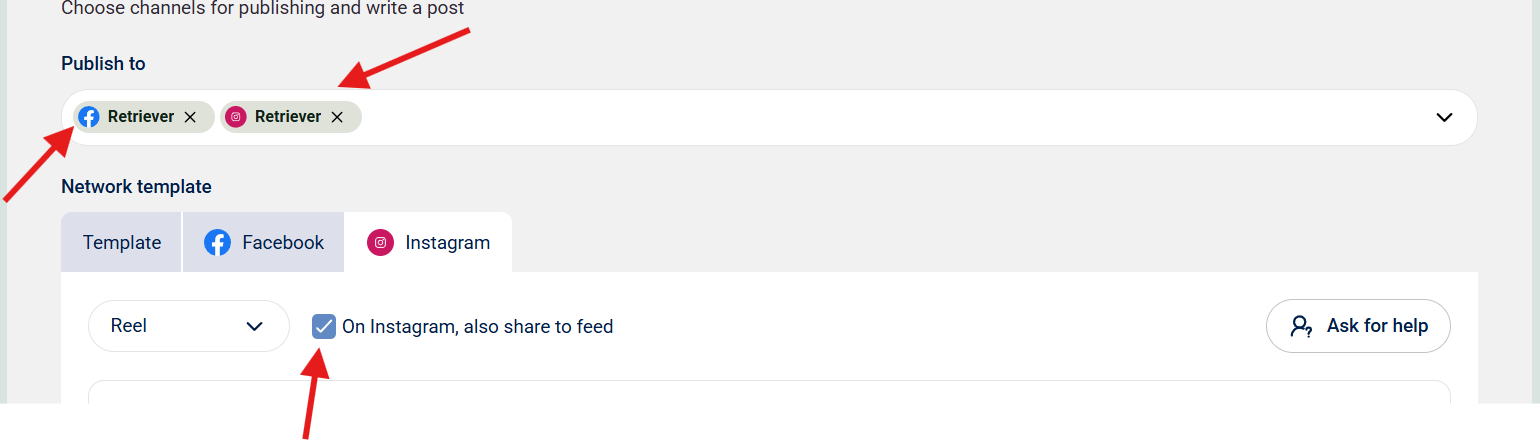
Step 4: Select which channel(s) you want to create a Reel for, it is only possible to post Reels to IG and FB.
Obs: For Instagram you can select if you want to publish your reel as a post as well or not
Step 5: Continue to create your reel the same way as a regular post
For a detailed guide on how to create a post click here.