
Delete comments & DMs
Click on the time of the message, Click Delete from Retriever
Deleting a comment
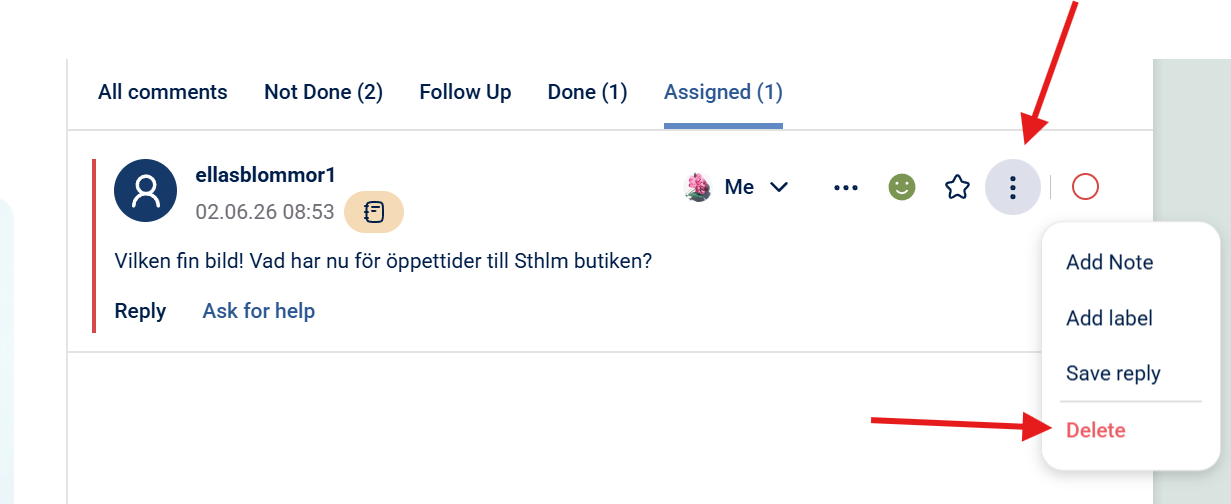
Step 1: Click on the three dots to the right and "Delete", see picture below.
Step 2: Click "Delete" and you are done.
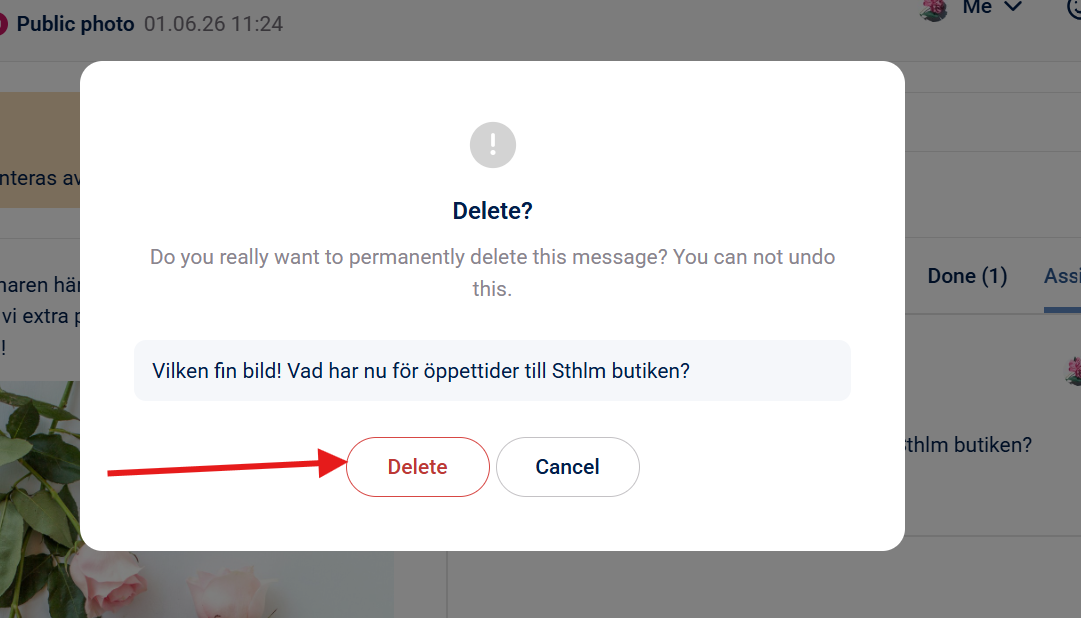
Good to know: On FB and IG the comment will also be deleted.
Deleting a direct message (DM)
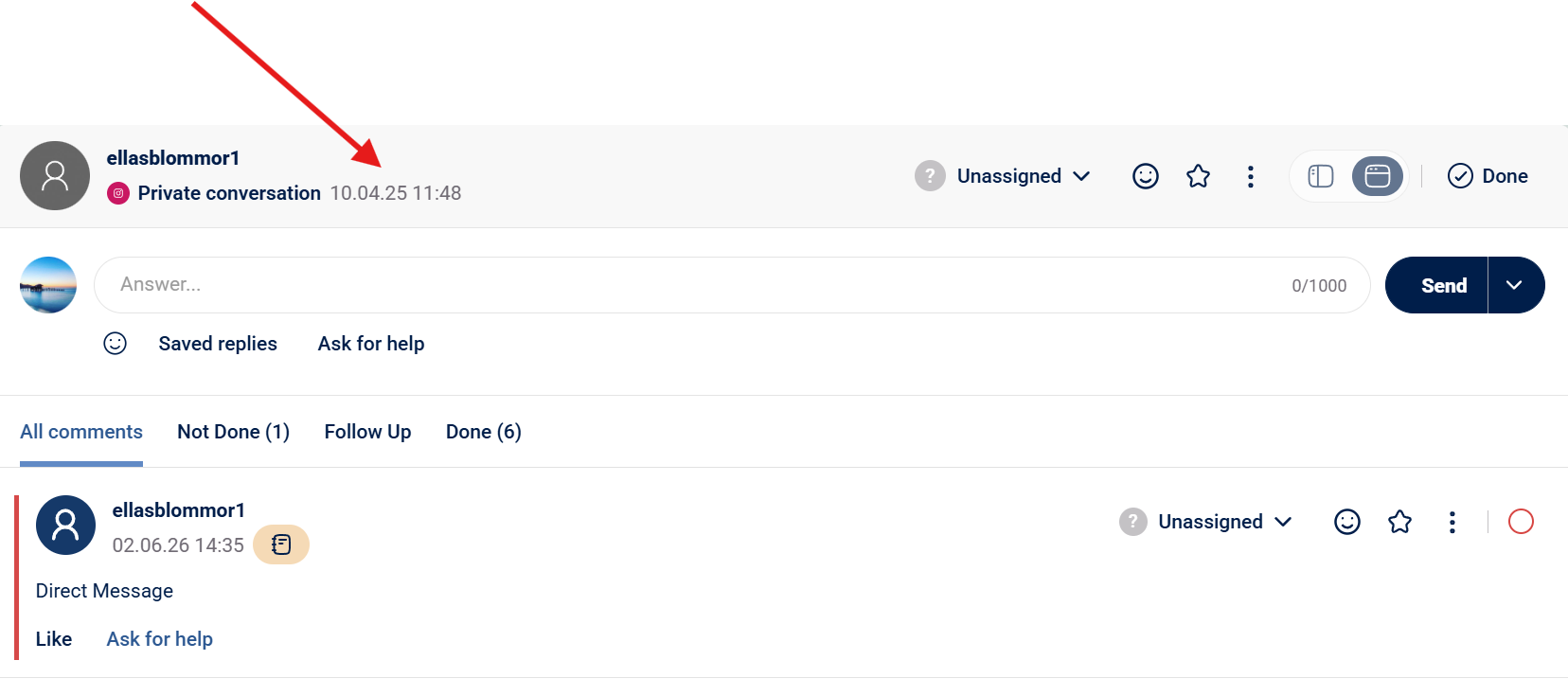
Step 1: Click on the time of the direct message you want to delete.
Step 2: Click on the three dots (...) and "Delete from application"
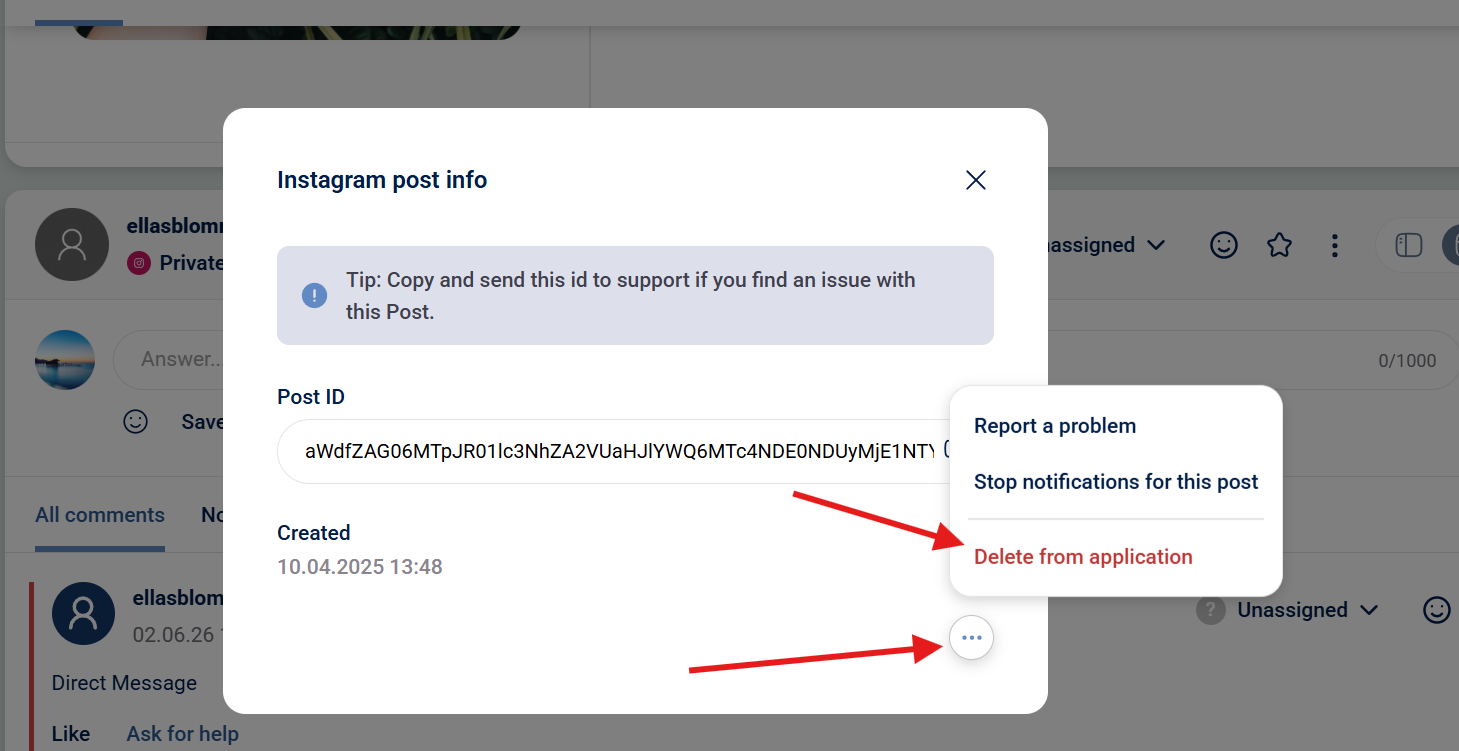
OBS: Deleting a direct message does not remove the sent message for the receiver, only in the SMM tool.