
How to create a Mention
Mention another user, page, or company within a post
You can mention another user, page or company in your Facebook, Instagram, and LinkedIn posts.
When creating the content in Publish you use @ for making a mention. You receive suggestions to choose from as you begin typing the name
(OBS on Instagram and you don't receive any suggestions so here you need to be very sure that you are typing the right username in the mention).
Step 1: Go to the "Network tab", not in the "Template tab", in this example it is LinkedIn.
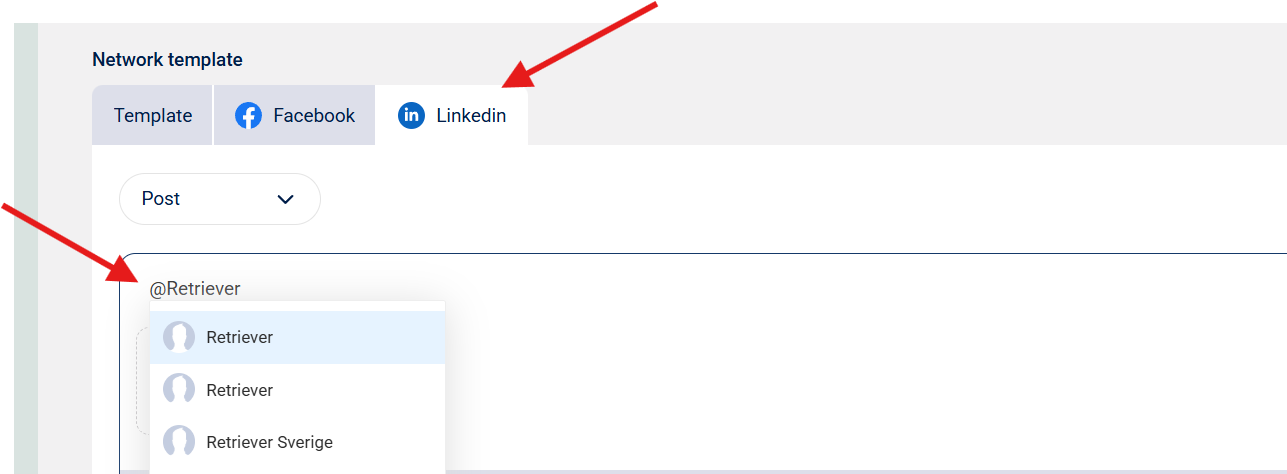
Step 2: Choose what user/company you want to mention by clicking on the account
Follow the same guide for all channels!