
Reconnect Instagram Account
Important: To reconnect the account successfully, the reconnection must be performed by a user who has the Instagram account's access token.
Step 1: Identify Who Has the Access Token
- Go to Settings.
- Navigate to Social Media Channels.
- Select the relevant Instagram account/accounts.
- Review the list of connected users.
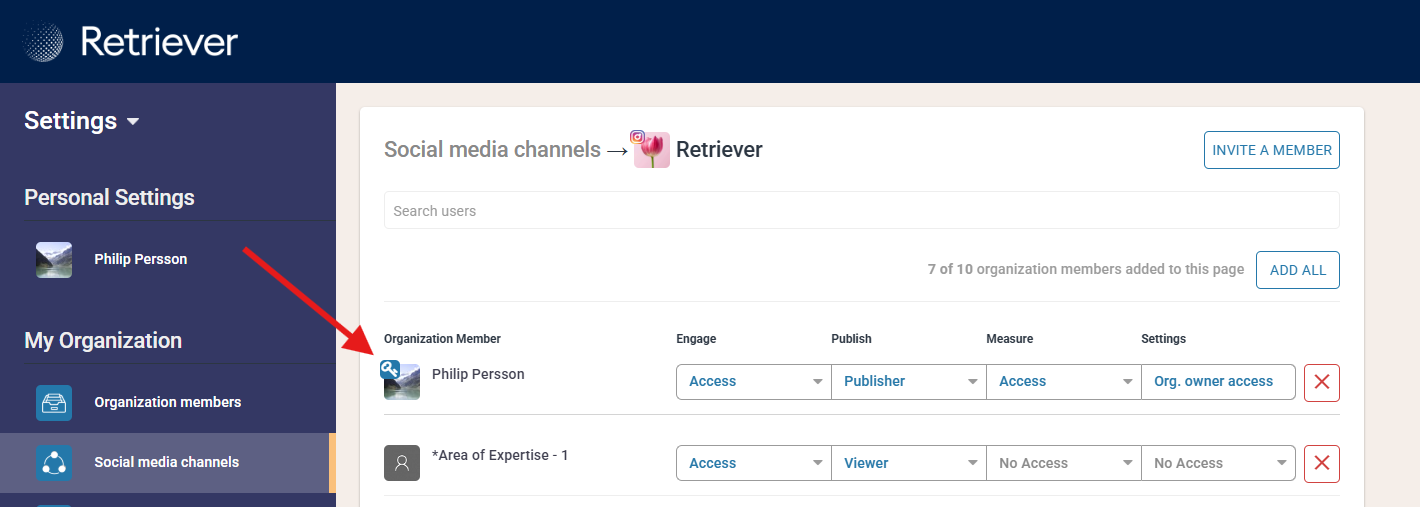
- Users who have the required access token will have a blue key icon displayed next to their name.
Any user with a blue key icon can complete the reconnection process.
Step 2: Reconnect To Facebook
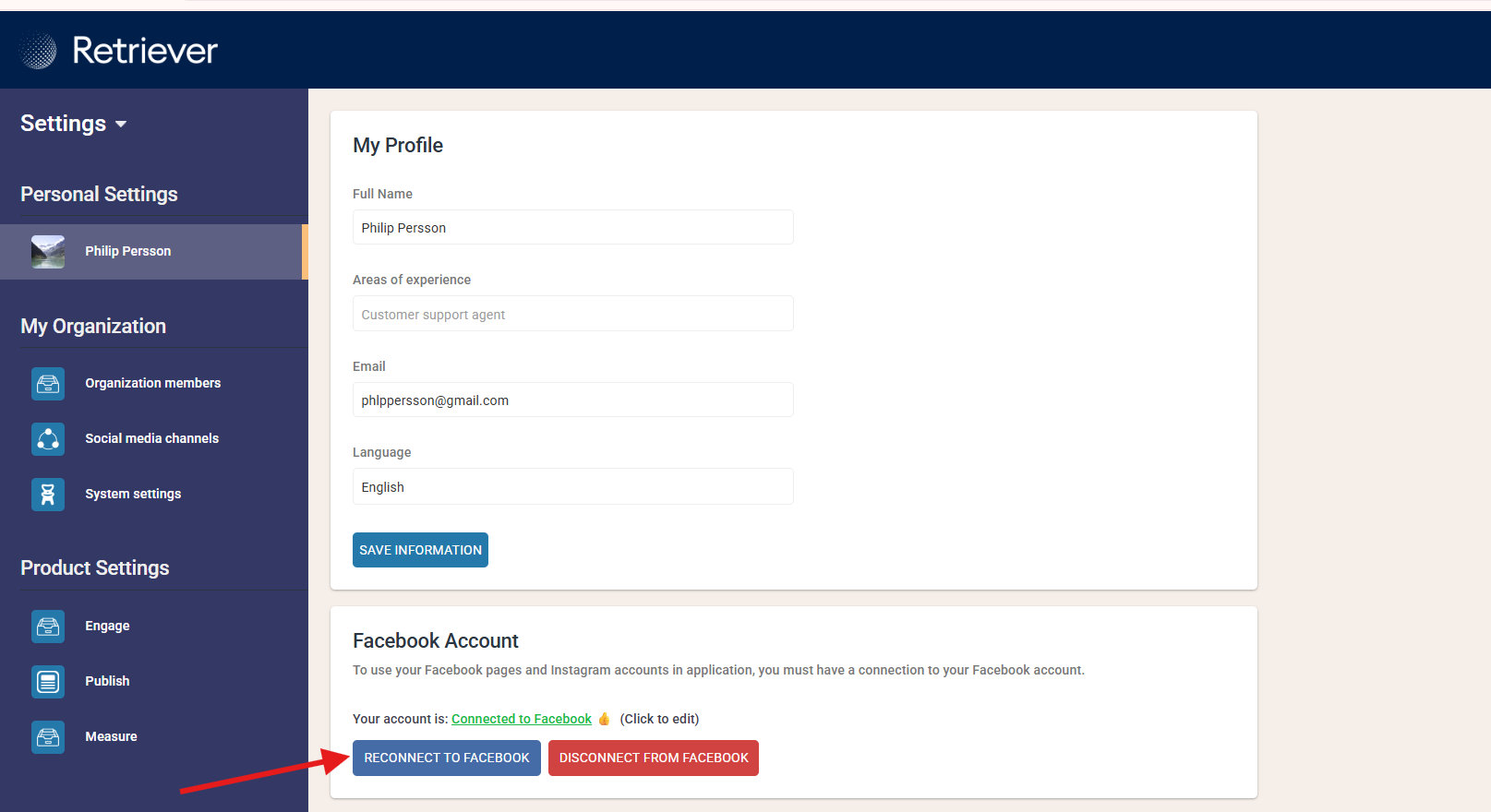
The user with the access token then needs to go to their Personal Settings.
- Click Reconnect to Facebook.
- Follow the Facebook authentication flow and approve the requested permissions.
- Once completed, the connection to the Instagram account will be refreshed automatically.
Step 3: Verify the Connection
Once the reconnection is complete, the connection to the Instagram account/accounts will be refreshed automatically.
Troubleshooting (Liking Comments)
If you see an error message when clicking "Like"
This usually means that the Instagram account has not yet been reconnected.
Please ensure that:
- A user with a blue key icon has completed the reconnection.
- The Facebook reconnection process was completed successfully in Settings